- AI
- Web
- AI Automation
- Marketing
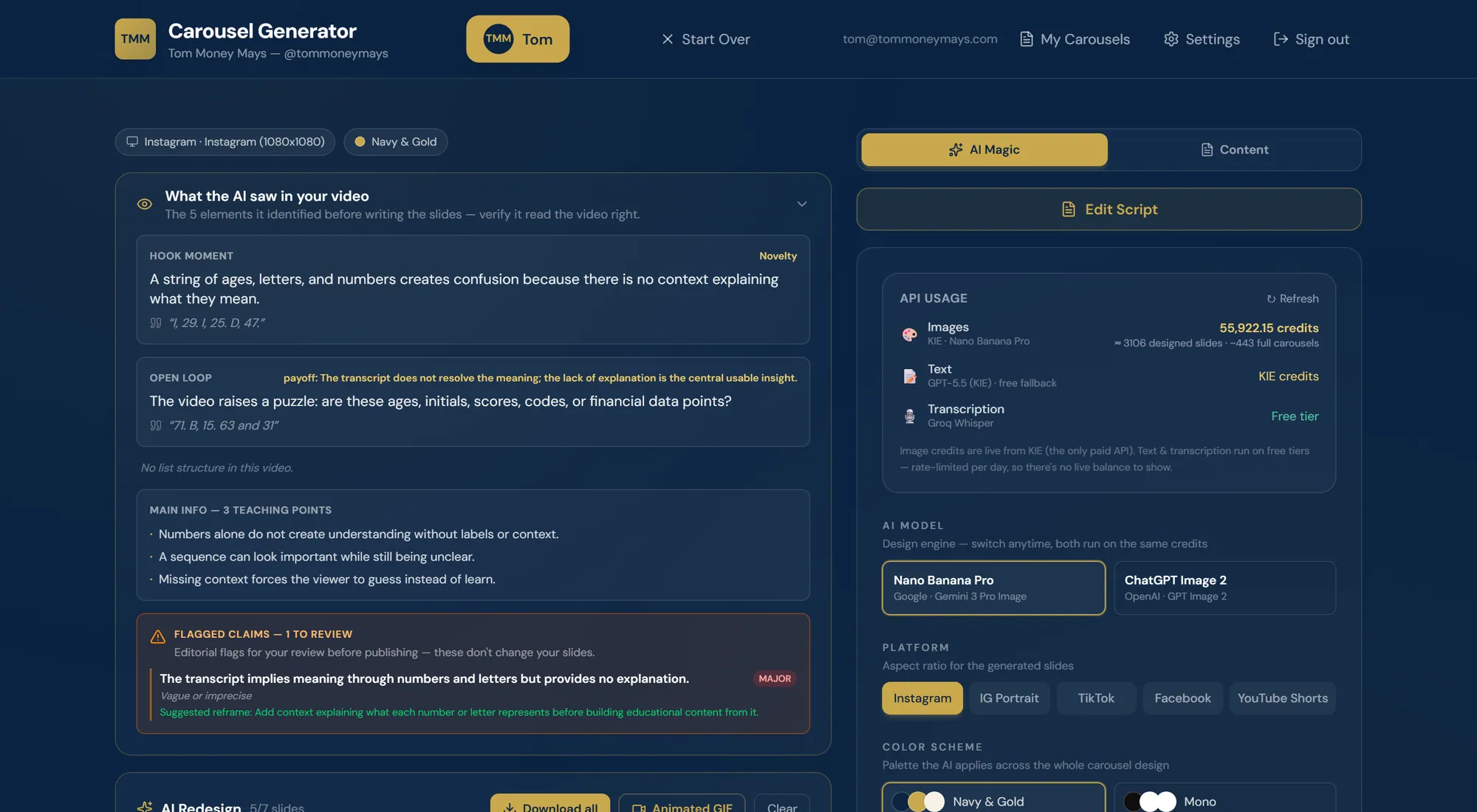
An AI studio that turns a video, a transcript or a social link into designed, on-brand carousels and the files needed to post them.
- Services
- Artificial Intelligence
- SaaS Development
- Web & Mobile
- Technologies
- Next.js 16
- React 19
- TypeScript
- Tailwind CSS 4
- dnd-kit
- html-to-image
- +15 more
- What the client needed
- Short-form creators depend on consistency, and one strong video can seed a week of posts. Turning that video into a finished carousel normally occupies a copywriter, a designer and hours of manual work for every post. The work is also multi-disciplinary: understanding the video, writing to a structure that converts, designing to a brand, and exporting into the file types each platform and editor expects. Off-the-shelf AI tools each cover one slice of that chain, leaving a manual hand-off between five products.
- What we built
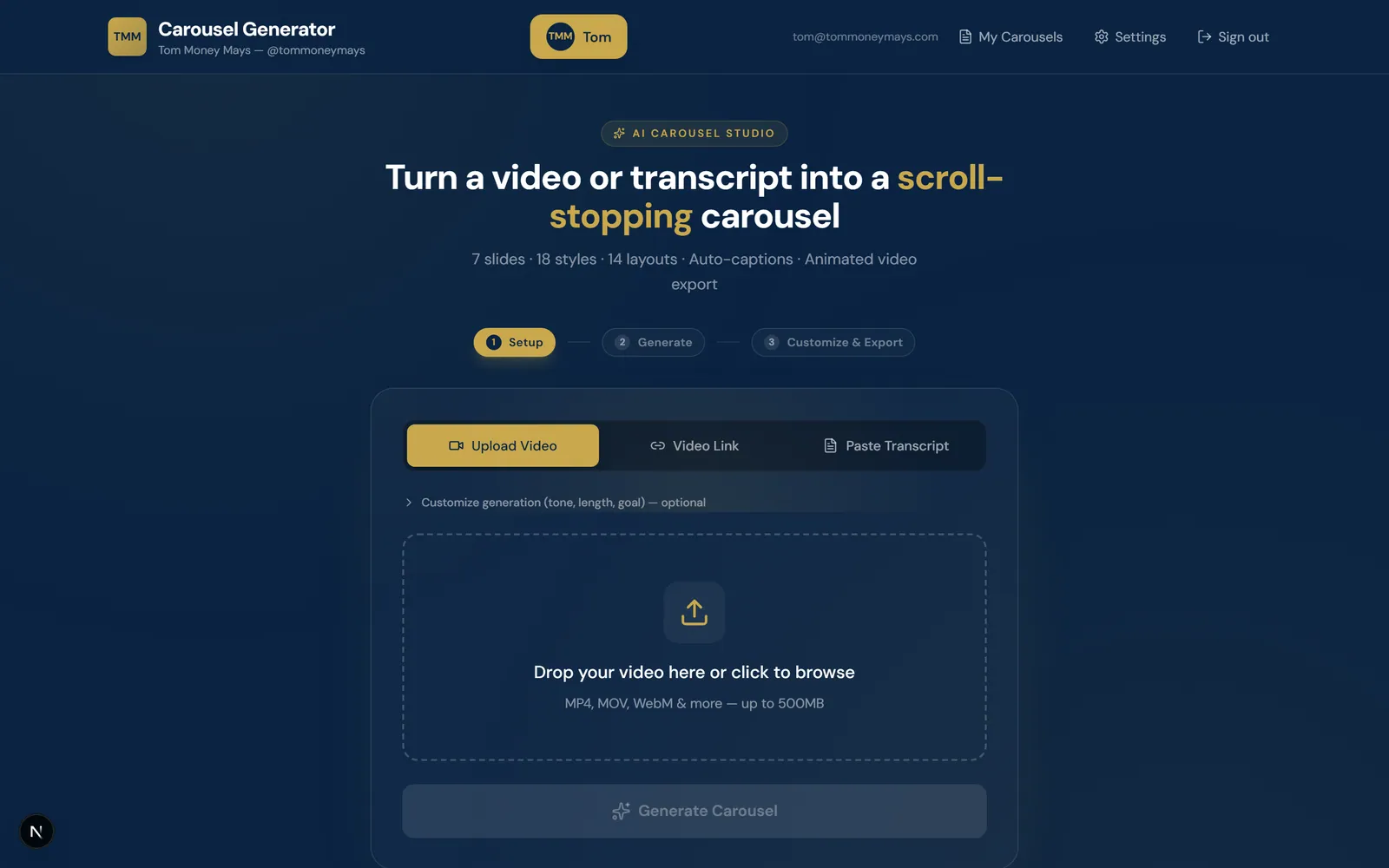
- AI Carousel Studio is a web application that runs the whole chain. A creator uploads a video, pastes a transcript, or pastes an Instagram, TikTok or YouTube link; the platform transcribes it, analyses it, writes several distinct carousel angles as slide-by-slide scripts, renders each slide as a finished on-brand image, and exports the result as PNG, PDF, PowerPoint or animated GIF. The creator reviews and edits at every step — the script, the slides, the design and the captions.
- Why it mattered
- The product compresses a multi-person workflow into a few minutes while leaving editorial control with the creator. It was built for regulated financial content, so an editorial review step surfaces claims before anything is published rather than after. Because several AI providers are orchestrated instead of one, a rate limit or an outage at a single vendor does not stop a creator finishing a post.
At a glance
- Video, transcript or social link as input
- Multi-provider AI chain with a deterministic fallback
- Exports to PNG, PDF, PowerPoint and GIF
- Deployed and in active use
Repurposing video into carousels is harder than it looks, because doing it well needs several different competences and all of them have to hold on unpredictable, real-world footage. The difficult parts were never the individual model calls but the joins between them: keeping a sixty-to-ninety-second image generation inside a serverless budget, keeping generated assets from expiring before export, and keeping the chain producing something when a provider fails.
- 03
Business constraints
- Every polished carousel consumed a copywriter, a designer and hours of manual exporting, which capped how often a creator could post.
- Consistency drives reach in short-form social, so posting cadence collapsed whenever specialist time was unavailable.
- Regulated financial content carries claims that need reviewing before publication, and no generic carousel tool accounts for that.
- 04
Technical constraints
- Slide image generation with Nano Banana Pro takes sixty to ninety seconds, longer than a serverless function should be held open.
- Generated image URLs expire, which breaks an export assembled later and introduces cross-origin failures in the browser pipeline.
- Video uploads exceed serverless request body limits, so a file cannot simply be posted through an API route.
- Real creator video is noisy and inconsistent, so each stage had to produce a usable result from imperfect input.
- 04
What the old system could not do
- Off-the-shelf AI tools each handled one slice of the chain, leaving a manual hand-off between five separate products.
- Template-driven generators laid text over a fixed layout rather than designing a slide in the creator brand.
- Single-vendor tools stop entirely when their provider rate-limits or goes down, with no second path to an output.
- The manual workflow had no review stage, so compliance depended on someone remembering to check a claim.
- 01Discovery
Breaking down the manual chain
The starting point was the production workflow itself rather than a model choice. Repurposing a video well turned out to require five distinct things — understanding the source, writing to a proven narrative structure, designing to a brand, reviewing claims, and exporting cleanly — and each was being done by a different person or a different tool. That breakdown set the scope of what a single studio would have to absorb.
- Five-stage workflow breakdown
- Input mode requirements
- Claim review requirement
- 02Technical planning
A model chosen per job
Rather than betting the product on one AI vendor, each task was matched to the strongest and most cost-effective model for it: Groq Whisper for uploaded audio, an Apify actor for social links, KIE.ai GPT-5.5 for script and art direction, Nano Banana Pro for slide imagery. Every step was specified with a fallback, on the assumption that AI APIs fail, rate-limit and time out. Each API route was given its own time budget in the same pass.
- Per-task provider map
- Fallback chain specification
- Per-route time budgets
- 03Architecture
Serverless without long requests
The slow image step was split into an asynchronous flow: the request that starts generation creates a task and returns instantly, and the browser polls for completion, so no function is held open long enough to time out. Authentication was split across runtimes, with edge-safe checks guarding every page and heavier database-backed logic running in Node. Video uploads go directly to cloud storage through a scoped, short-lived token, and the server then fetches, processes and deletes the file.
- Create-task-then-poll design
- Edge and Node auth split
- Direct-to-cloud upload flow
- 04Design
A studio split in two
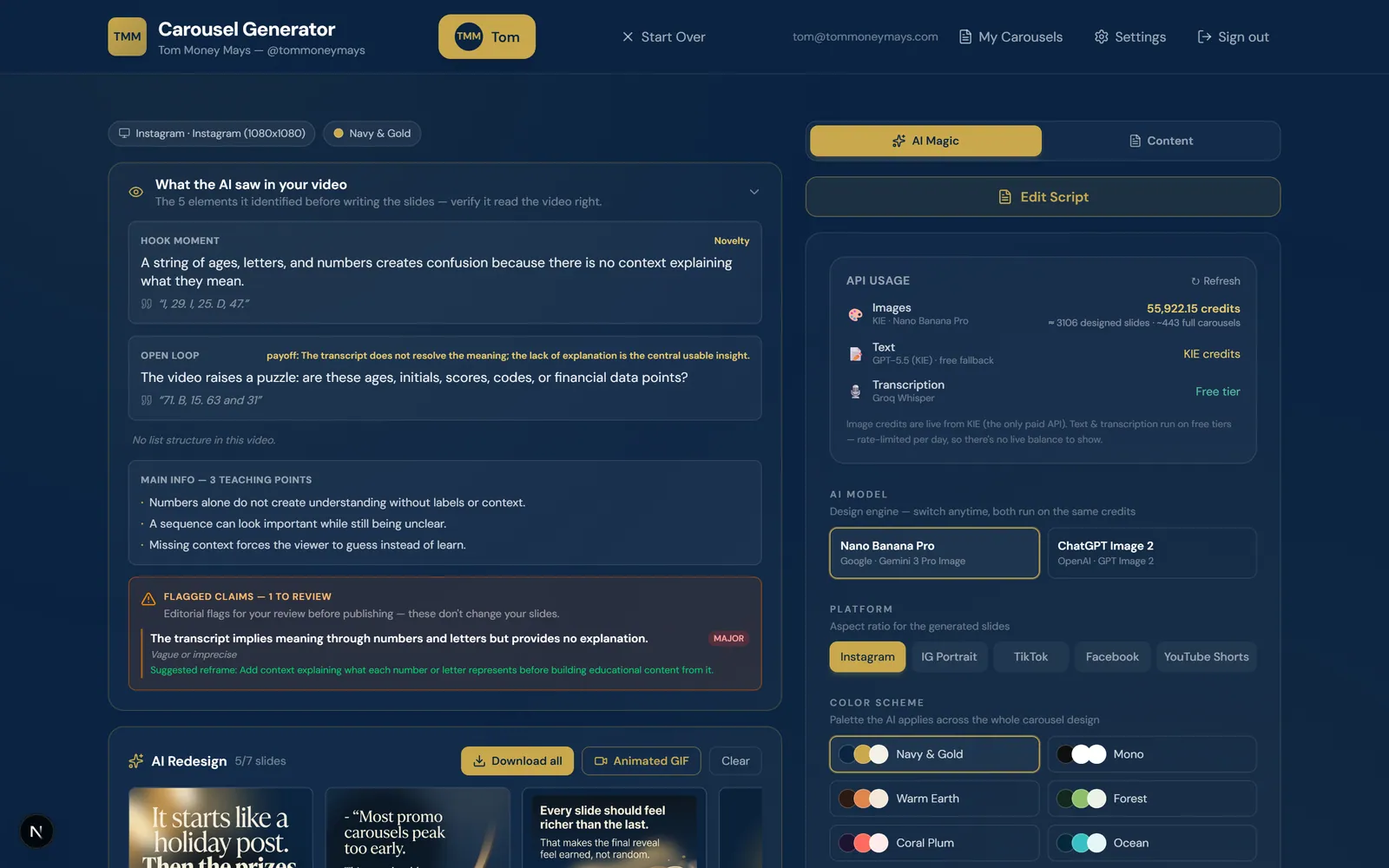
The interface separates creative controls from editorial ones: an AI panel holding the design engine, model, palette and target platform, and a content panel holding the script, so the two kinds of work never collide. A three-step rail labelled Setup, Generate, then Customize & Export keeps position obvious throughout a long generation. A panel showing what the AI took from the video appears before any slide is written, so its reading of the source can be checked first.
- Three-step progress rail
- AI and content panel split
- Analysis transparency panel
- 05Build
Three phases, each validated
The product shipped in stages, each deployed and validated before the next began: first the generation engine and the slide editor, then multi-user accounts and brand profiles, then persistent saved projects. The database migration history mirrors that order — accounts, then profile design defaults, then carousel persistence. Generated carousel data and studio settings are stored as structured JSON per project, which kept the schema small while the editor state kept growing.
- Generation engine and editor
- Accounts and brand profiles
- Phased migration history
- 06Launch & scale
Validated against real video
The full pipeline — upload, transcript, script, design, export — was validated end to end against real creator videos, and every export format was verified separately. Authentication flows were checked for wrong-password rejection and per-user data isolation, and every change is type-checked in a strict production build. The application is deployed on Vercel with CI/CD from Git, and a next-phase list covers generation rate limiting, team workspaces and direct publishing.
- End-to-end pipeline validation
- Cross-format export checks
- Next-phase roadmap
Multi-provider AI pipeline
Each job in the chain is routed to the provider best suited to it, and every step has somewhere to fall back to. The pipeline is arranged so that a failure anywhere still ends in a finished carousel.
- Transcription per source
An uploaded video is transcribed by Groq Whisper large-v3-turbo, while a pasted Instagram, TikTok or YouTube link is transcribed by an Apify actor.
- Analysis before writing
Before a single slide is written the system extracts the hook, the open loop and the teaching points, and flags any claim worth reviewing.
- Resilient fallback chain
Script and art-direction writing tries KIE.ai GPT-5.5 first, then Google Gemini, then Groq Llama-3.3, and retries the whole chain once more after a short pause.
- Deterministic last resort
When every provider is unavailable a built-in deterministic engine still produces a valid carousel, so the application never hard-fails.
The studio experience
The studio is built so that a complex pipeline reads as three steps. Nothing generated is final until a person has looked at it.
- Three-step progress rail
Setup, Generate, then Customize & Export runs across the top of the studio, so position in a long generation is never in doubt.
- Visible reasoning and cost
One panel shows what the AI took from the video before the slides are written, and a live usage panel shows which provider actually ran and on which tier.
- In-studio editing
Slide text is edited inline, slides are reordered by drag-and-drop, individual slides are rewritten with an AI tweak, and alternative hooks and platform-specific captions are generated on demand.
- Brand kit and profiles
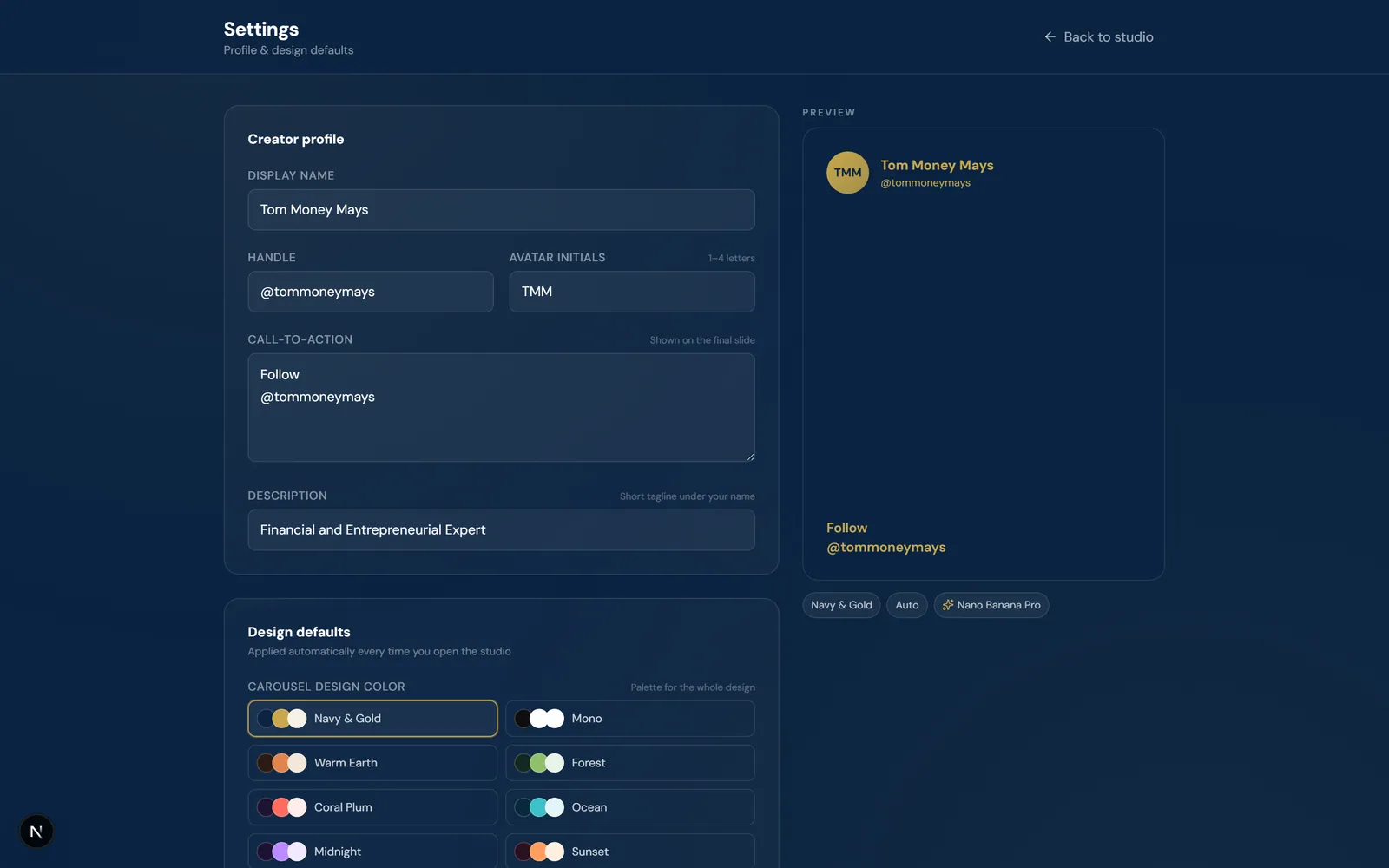
A settings screen captures display name, handle, CTA, description, palette, fonts and default model once, then applies them to every carousel generated afterwards.
Rendering and export
Every slide is generated as a designed image rather than text placed on a template. Assembly of the published file happens in the browser, which keeps server cost and latency down.
- Full AI redesign
Each slide is rendered as a complete image — background, typography and copy together — in the creator colours, fonts and layout.
- Re-encoded on arrival
Finished slide images are downloaded and re-encoded server-side immediately, so an expiring provider URL cannot break an export and cross-origin issues never reach the export pipeline.
- In-browser assembly
PNG and ZIP output comes from off-screen HTML-to-image capture, with PDF, PowerPoint and an animated GIF built with palette quantisation all assembled client-side.
- Reopenable projects
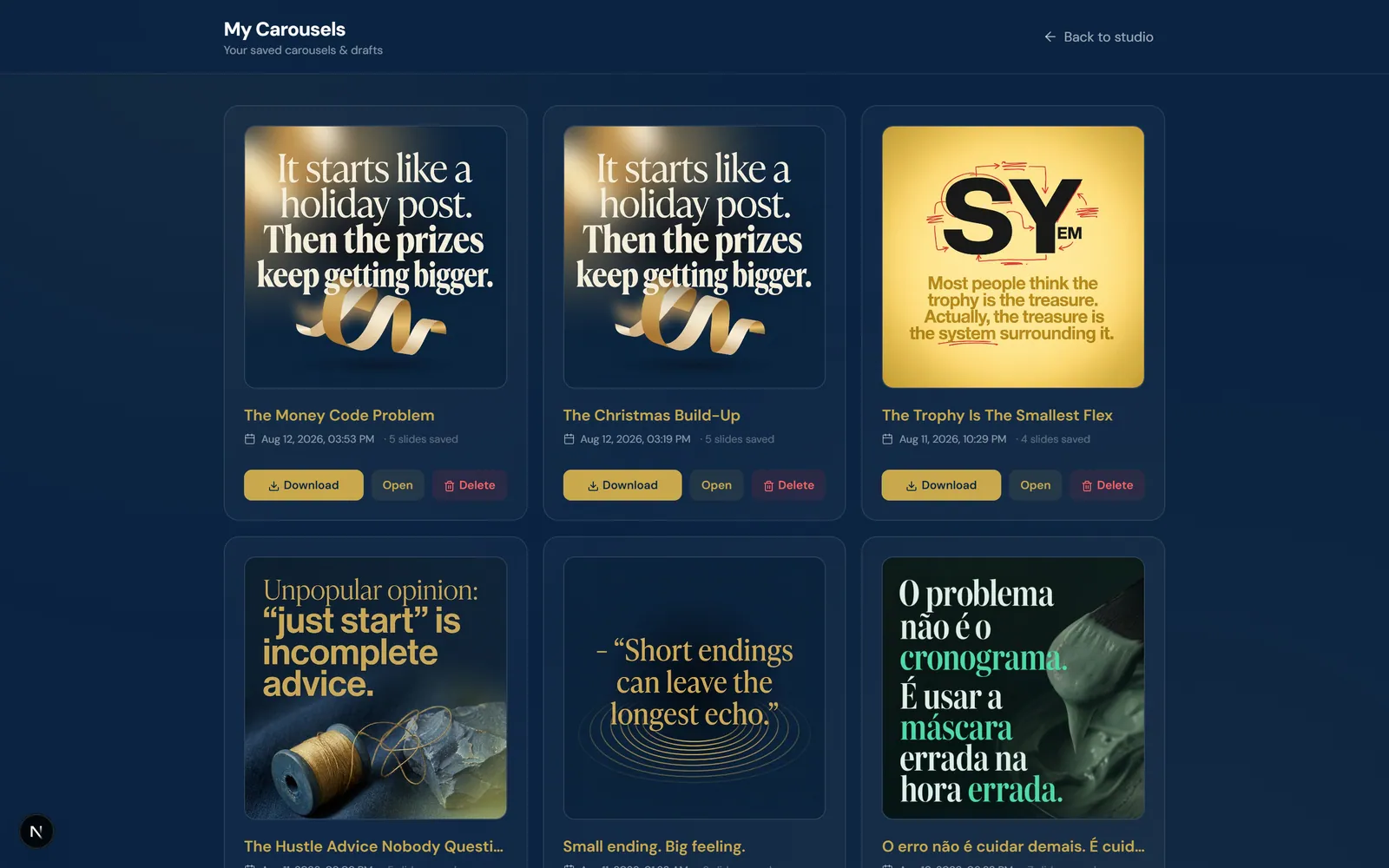
Rendered slides are persisted to Cloudinary and linked to the saved project, so an old carousel is re-downloaded without paying to regenerate it.
Security and data isolation
Every application page requires a session and every record is scoped to its owner. Strict input validation and TLS-only database connections were part of the first build rather than a later pass.
- Hashed credentials
Passwords are hashed with bcrypt at cost factor 12, and no plaintext password is stored at any point.
- Constant-time login
Login performs a constant-time hash comparison even for unknown email addresses, so response timing cannot reveal whether an account exists.
- Edge-guarded sessions
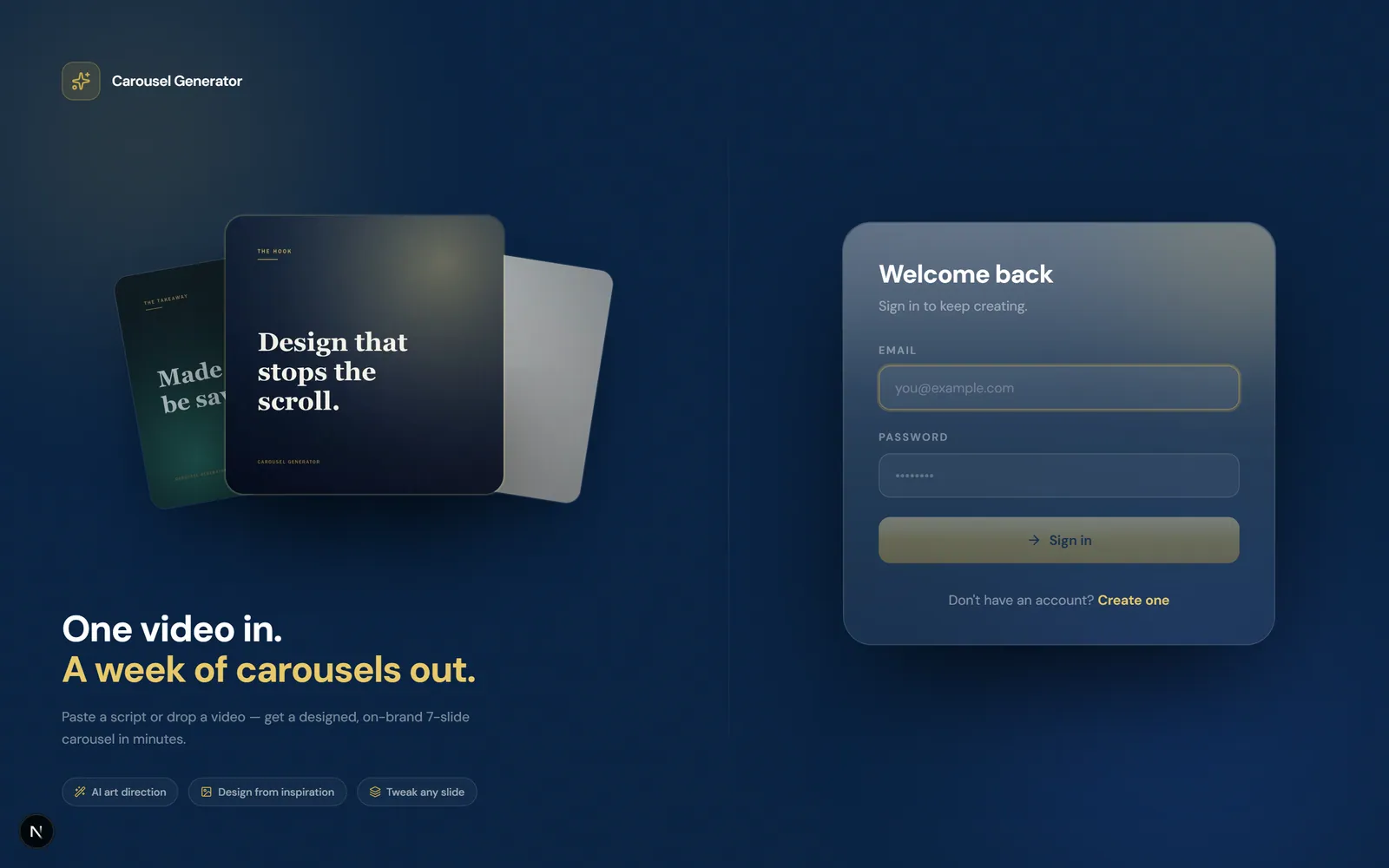
Stateless JWT sessions run through Auth.js, and a signed-out request is redirected to login at the network edge before any page renders.
- Per-user scoping
Every request for a profile, carousel or image is scoped to the signed-in user ID, with whitelisted field updates preventing mass assignment.
A video enters at the left and leaves as export files at the right, with the studio editor able to send a slide back for regeneration.
- upload or link flows from Creator input to Transcription.
- Data flows from Transcription to Analysis and script writing.
- fallback chain flows from Provider chain to Analysis and script writing.
- slide script flows from Analysis and script writing to Slide image generation.
- Data flows from Slide image generation to Re-encode and store.
- Data flows from Re-encode and store to Studio editor.
- export formats flows from Studio editor to In-browser export.
- regenerate returns from Studio editor to Slide image generation.
A multi-person workflow, self-served
The product is deployed and in active use, with a library of finished carousels produced inside it.
A copywriter, a designer and a manual export chain are replaced by one self-serve studio.
The fallback chain and deterministic engine mean a provider outage never leaves a creator without a carousel.
A flagged-claims review step surfaces risky statements before publication, for regulated financial content.
Verified figures have not been published for this engagement. These are the outcomes the team can attest to.
Frontend
- Next.js 16
- React 19
- TypeScript
- Tailwind CSS 4
- dnd-kit
- html-to-image
- ffmpeg
Backend
- Next.js Route Handlers
- Node.js
- Auth.js (NextAuth v5)
- bcrypt
AI
- KIE.ai
- Nano Banana Pro
- Google Gemini
- Groq Whisper
- Apify
Data
- PostgreSQL
- Prisma 7
Infrastructure
- Vercel
- Cloudinary
- Vercel Blob
Tell us the constraint you are trying to remove. A senior engineer reads every enquiry and replies within one business day.