- Web
- E-commerce
ZValves Storefront
A product-led e-commerce experience that brings the ZValves story, visual product education, and distinct starter-kit and refill journeys into one responsive storefront.
- Services
- Technologies
- Next.js
- React
- Vercel
What this project is.
- What the client needed
- A visitor encountering an unfamiliar physical product needs more than a purchase button. They need to understand what the product is, see how it is used, and choose the appropriate starting point. For ZValves, that journey also differs between a first-time customer exploring the starter kit and a returning customer selecting a refill in a familiar size.
- What we built
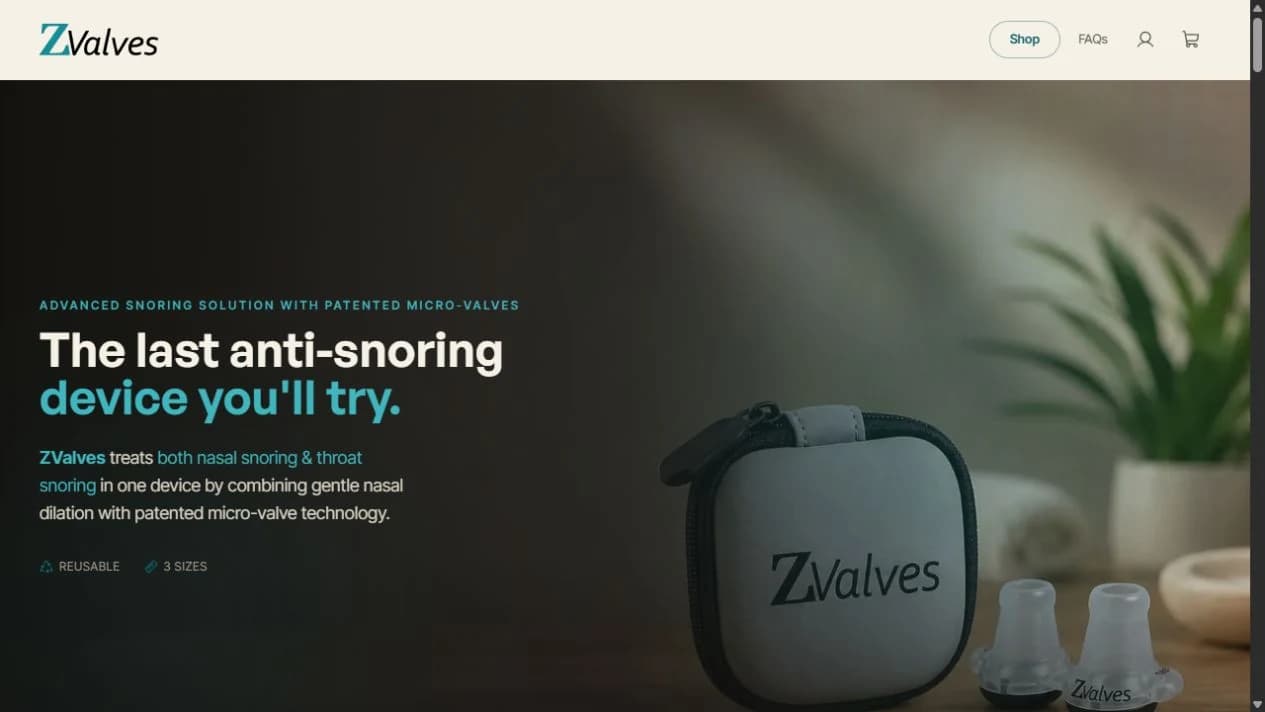
- The ZValves website brings product storytelling and shopping into one branded experience. A visual landing page introduces the brand’s anti-snoring device through photography, step-by-step usage content, product details, and comparisons. The shop then separates starter kits from refill packs, with dedicated product pages and a persistent route to the cart.
- Why it mattered
- The design gives education and product selection distinct jobs. Visitors can explore the product before entering the shop, while returning customers have a shorter route to the refill selector. Consistent cream, charcoal, and teal styling connects the editorial content, product photography, controls, and support pages.
At a glance
- Separate journeys for first-time and returning customers
- Visual product education and step-by-step usage content
- Refill size selection and quantity controls
- Responsive storefront with FAQs and direct support routes
What stood in the way.
The central UX problem is helping people understand a specialist product without making every visitor read the entire product story before shopping. The storefront needs to support discovery, product comparison, selection, and practical questions within a coherent experience.
- 03
Business constraints
- Explain an unfamiliar product through imagery and clear sections that visitors can scan.
- Distinguish a starter bundle containing different sizes from refills intended for customers who know their fit.
- Keep ordering, sizing, care, and support information accessible alongside the shopping journey.
- 03
Technical constraints
- Adapt an image-led desktop hero to a readable, vertically arranged mobile layout.
- Represent product size and quantity choices clearly before the cart action.
- Keep navigation and interaction patterns consistent across marketing, product, cart, and FAQ pages.
From brief to build.
01 / Discovery
Start with the two customer journeys
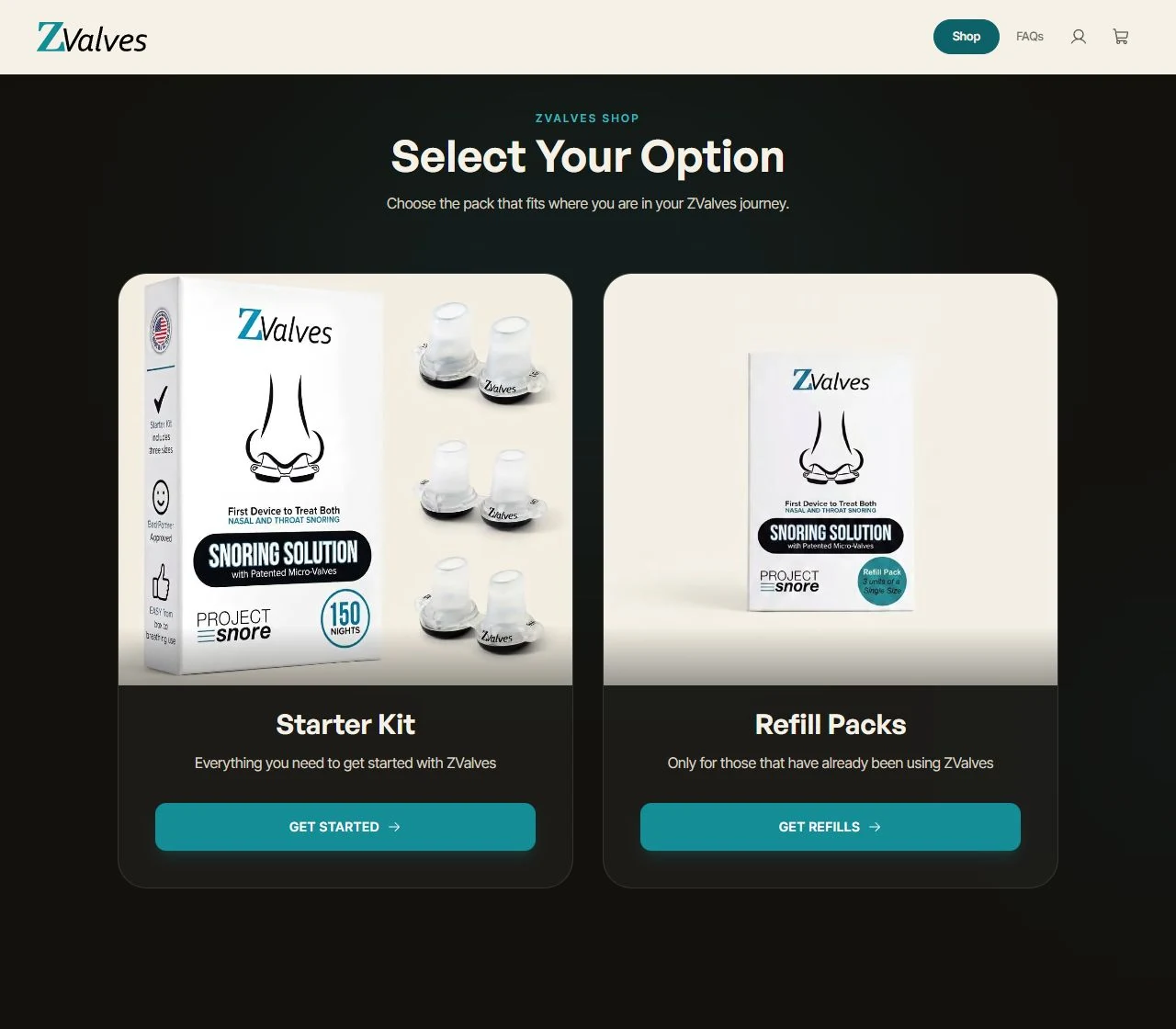
The shop’s first decision is whether the visitor needs a starter kit or refills. This distinction gives the catalog a clear structure and makes the purpose of each product visible before a customer reaches its detail page.
- Starter-kit route
- Returning-customer route
- Clear catalog entry point
02 / Technical planning
Give each decision its own page
The public routes separate the landing page, catalog, starter kit, refills, cart, and FAQs. Product pages retain a back-to-shop link, while the shared header keeps shopping, account access, and the cart within reach.
- Dedicated product routes
- Shared navigation
- Persistent cart entry
03 / Architecture
Keep education and commerce connected
The Next.js storefront combines editorial sections with interactive product controls. Product education leads into the catalog, and FAQ answers can link directly to the relevant product page, keeping information close to the next decision.
- Connected content and catalog
- Interactive selection controls
- Product links within support content
04 / Design
Let the physical product lead the visual system
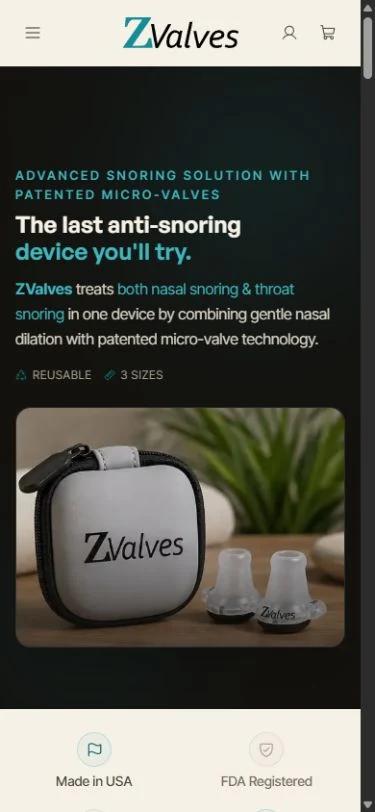
Large product photographs sit against cream and dark backgrounds, with teal reserved for emphasis and actions. On mobile, the hero places its message above a separate product image and replaces the desktop links with compact navigation.
- Product-led imagery
- Consistent color and type hierarchy
- Mobile-specific composition
05 / Build
Make selection and support tangible
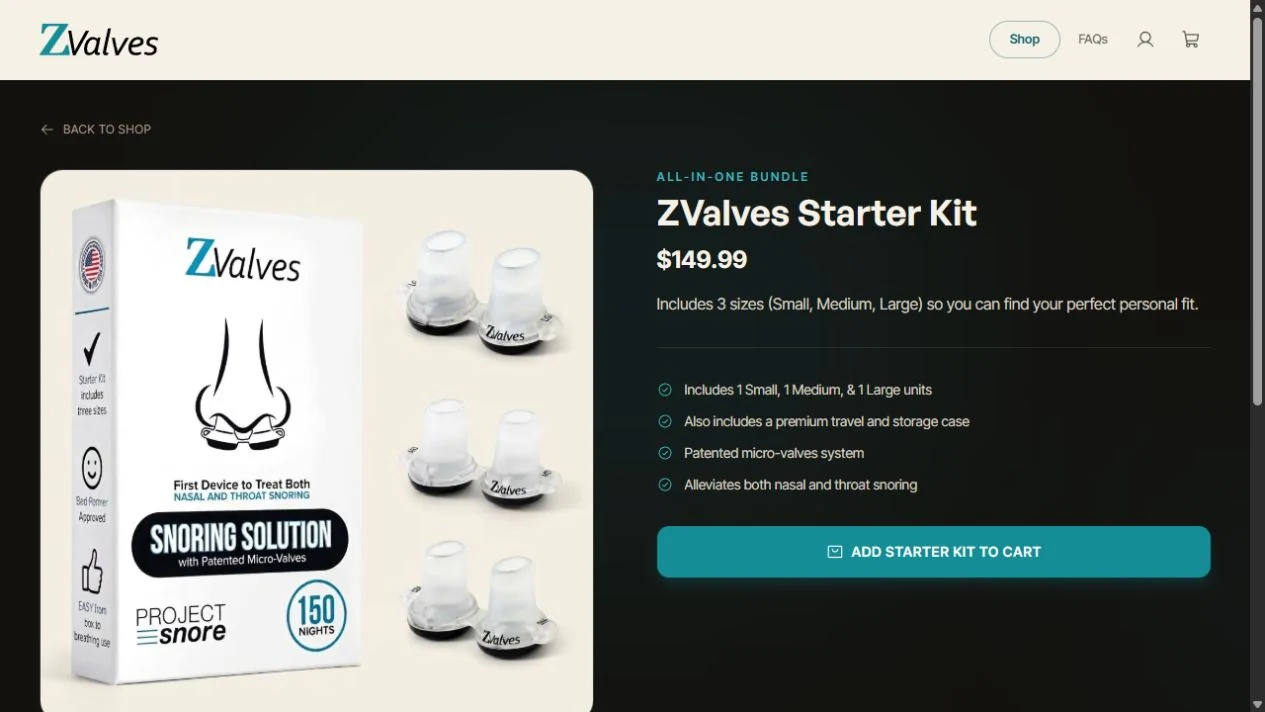
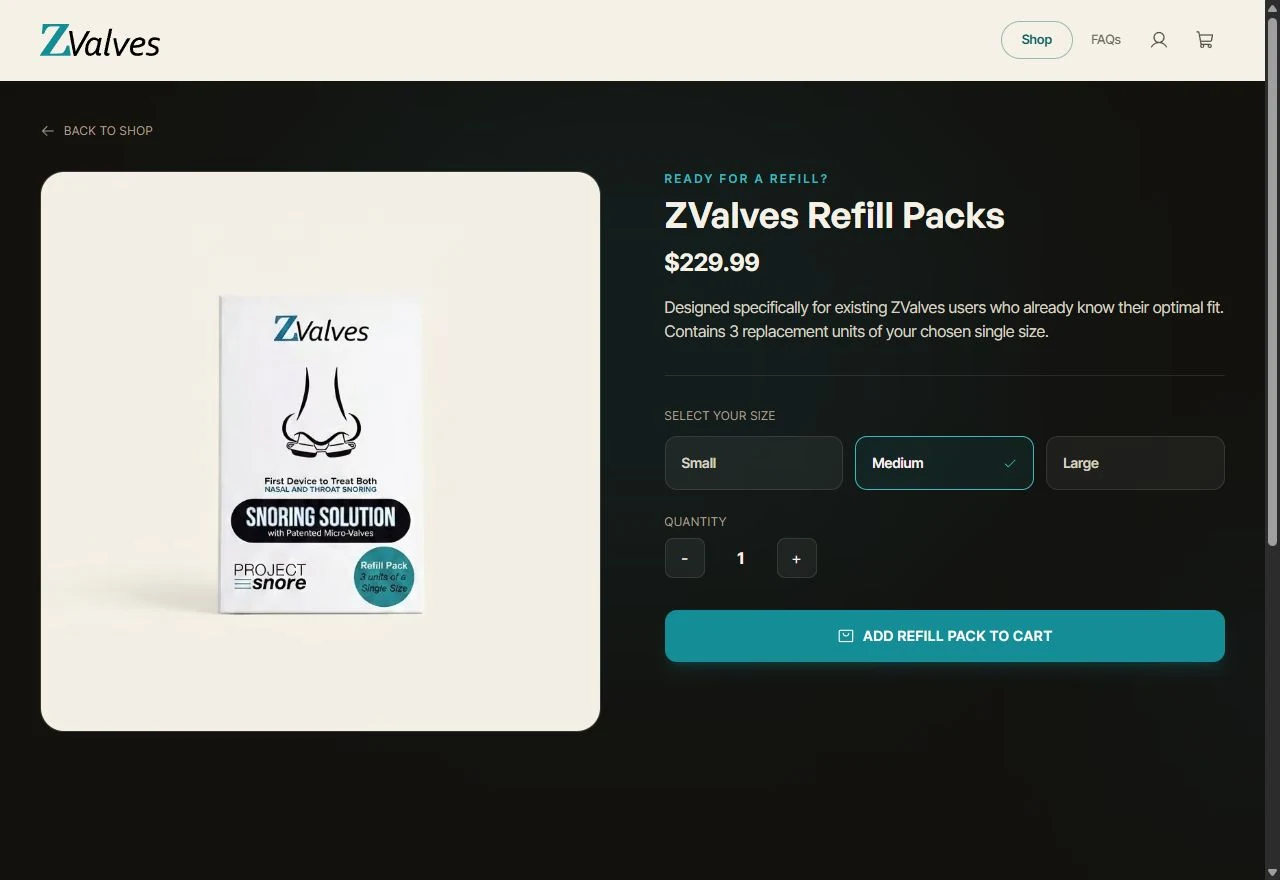
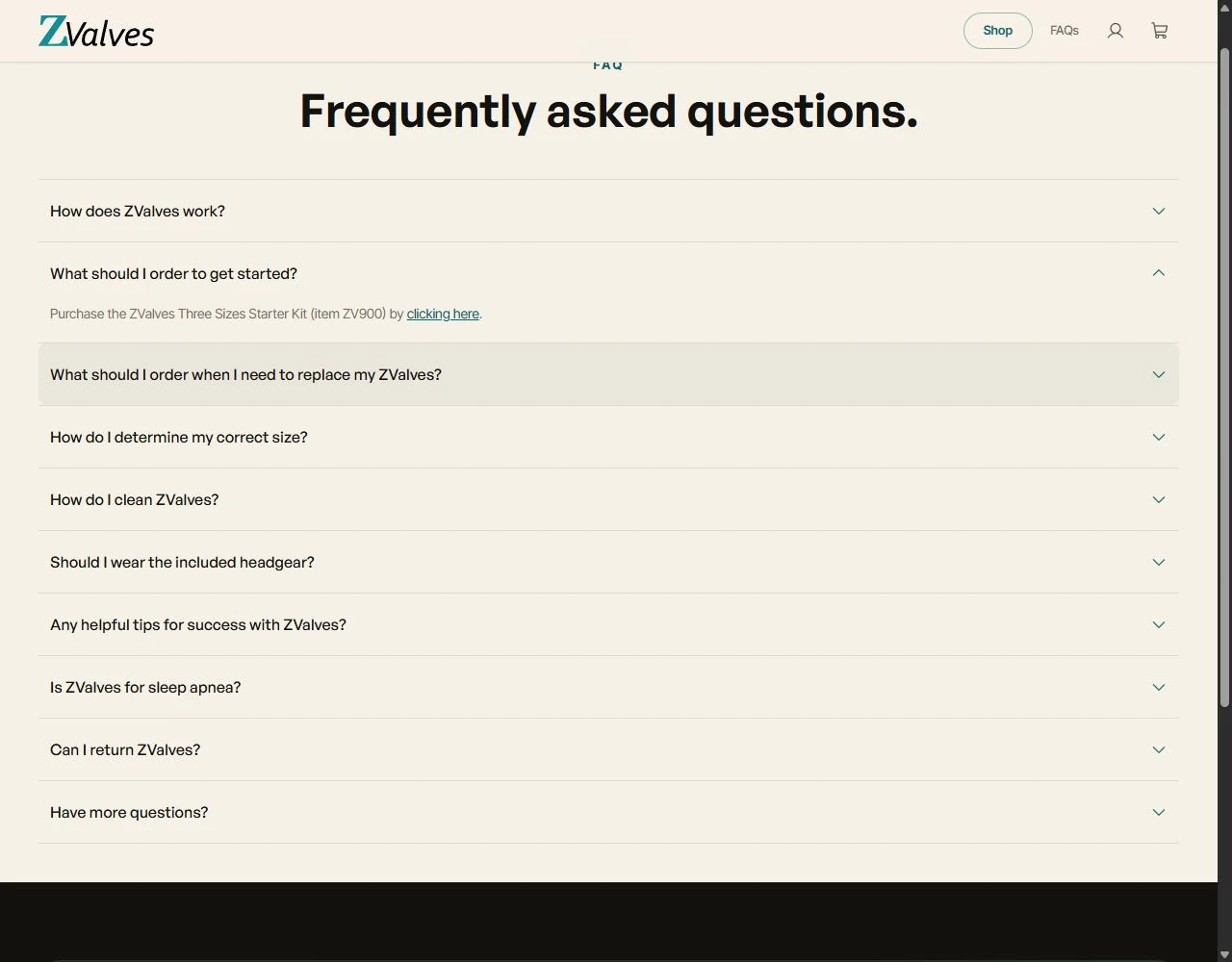
The starter-kit page presents its contents and a single cart action. Refills add visible Small, Medium, and Large choices plus quantity controls. Expandable FAQ answers let visitors inspect a specific question without opening every answer at once.
- Starter-kit product page
- Refill size and quantity controls
- Expandable FAQ answers
06 / Launch & scale
Bring the storefront together on a live deployment
The public Vercel deployment presents the same visual language across discovery, shopping, and support. The case study captures the delivered interface on desktop and mobile, including the actual product selector and FAQ states.
- Public storefront deployment
- Desktop and mobile layouts
- Consistent shopping and support pages
How it works.
Product education with a clear visual hierarchy
The landing page gives the product room to be understood before asking visitors to choose a pack.
- Image-led introduction
The hero combines lifestyle and product photography with a concise brand message, using teal accents to direct attention.
- Guided usage content
A three-step section organizes the fitting, placement, and usage instructions with selectable steps and accompanying imagery.
- Product explanation
Device illustrations, labeled details, feature groups, and a comparison table organize the brand’s product information into distinct sections.
- Routes into shopping
Shop links in the persistent navigation and landing-page content connect product exploration to the catalog.
Two focused shopping journeys
The catalog separates getting started from replenishment, then shows the controls each choice needs.
- Starter kit
A dedicated page combines a large product photograph, displayed price, bundle contents, and a clear add-to-cart action.
- Refill packs
The refill page explains its returning-customer purpose and places size selection beside the product details.
- Visible product choices
Small, Medium, and Large buttons show the active size, while separate increment and decrement buttons control quantity.
- Cart navigation
A shared cart entry and a continue-shopping route keep the product pages connected to the basket experience.
Support within the storefront
Practical information and responsive navigation support the experience beyond the first product impression.
- Focused FAQs
Expandable questions cover ordering, replacements, sizing, care, usage guidance, and return information.
- Contextual links
The getting-started answer links directly to the starter-kit page, giving visitors a useful next step from support content.
- Brand and support pages
The footer provides routes to contact, about, patent information, terms, and privacy pages.
- Responsive presentation
Compact mobile navigation and a stacked hero retain the core message and product photography on a narrow screen.
Inside the build.
Select a screenshot to inspect it at full size.
What changed.
A clear path from product story to selection
A cohesive public storefront connects product education, shopping, and support.
Starter kits and refill packs have distinct routes and product-specific controls.
The same brand system carries from the desktop experience into a compact mobile layout.
FAQs make practical product questions accessible and link visitors back to the relevant shopping page.
Verified figures have not been published for this engagement. These are the outcomes the team can attest to.
What it is built with.
Frontend
- Next.js
- React
Infrastructure
- Vercel
Have a similar project in mind?
Tell us the constraint you are trying to remove. A senior engineer reads every enquiry and replies within one business day.